
From first scan to sealed record
Scan the place or the car when you get it, and again when you give it back. Here is every step in between, and what the app does at each one.
Screens are from the design prototype. Where today’s build is behind the design, we say so.
Scan it when you get it
Before you unpack or drive off. The app frames every shot, so the second scan can line up with the first.
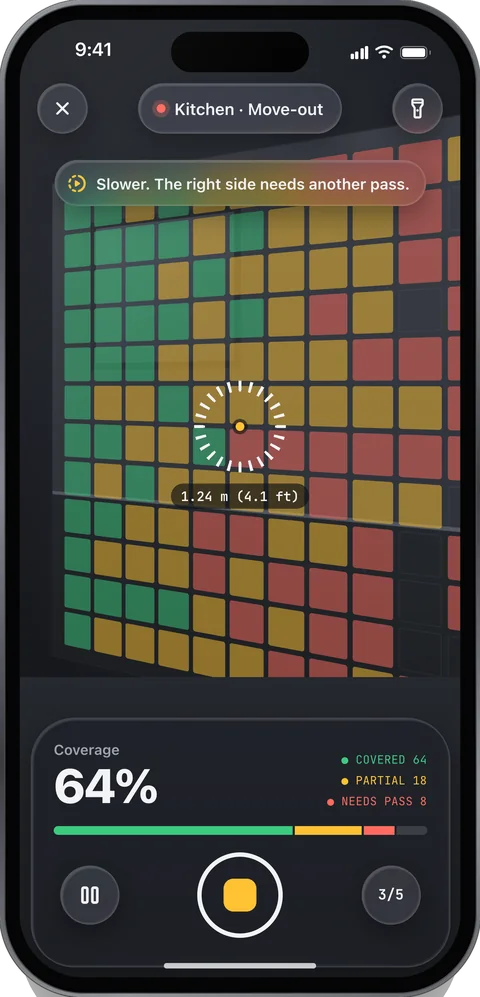
Homes
Rooms are mapped in 3D with LiDAR, so a finding has a place on a wall, not just in a photo.
- Add the lease
Address, unit, move-in date and deposit. Landlord and roommates are optional; roommates join free.
- Walk the edges, slowly
Walls paint green as they’re covered. Low walls and the floor get a closer second pass.
- Pin what’s already there
Tap old damage to measure it and add a note. It’s sealed into the move-in record: a nail hole, 6 mm (0.24 in), north wall, 1.4 m above the floor.
Design, not yet in the build: “Seal room” unlocks at 95% wall coverage plus a floor pass, with a fixture checklist for each room type.
Cars
Glossy and dark paint fool depth sensors, so cars are photographed from fixed stations instead of mapped in 3D.
- Start a trip
Rental, car share, Turo, your own car or a lease return. Then the company, return place and return time.
- Stop at each station
Six around the car today. Hold still for 3 frames a few centimetres apart: a scratch stays put, a reflection moves.
- Skip one if you have to
The record lists every station you skipped.
Planned: 16 stations (8 around the car, each at about 0.9 m and 1.6 m camera height) plus close-ups of the wheels, glass, bumpers, mirrors, interior, dash, odometer and fuel. And a VIN scan instead of typing the car in.
Sealed on the phone before you leave
Tap Done and the scan is locked on the phone. Every file is fingerprinted and the set is signed by a key that never leaves your iPhone. Our server checks the signature and sends back a receipt.
- Each file
- SHA-256 fingerprint
- The whole scan
- One Merkle root
- Signature
- ECDSA P-256 · Secure Enclave
- Time
- Phone clock + signed server receipt
Today the time comes from the phone’s clock, backed by our server’s signed receipt. Independent RFC 3161 timestamps are coming next; until then the verify page labels records “device time only.” Co-sign isn’t live yet either.
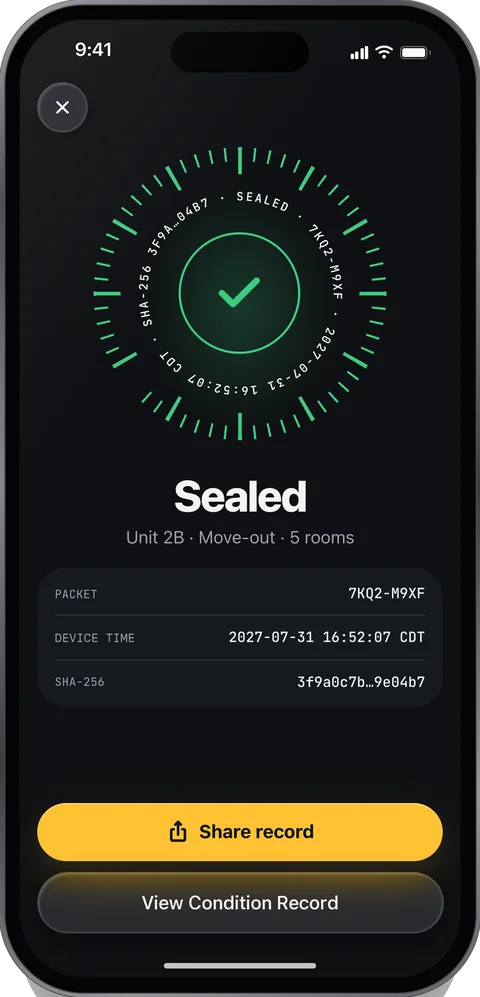
Scan it again when you give it back
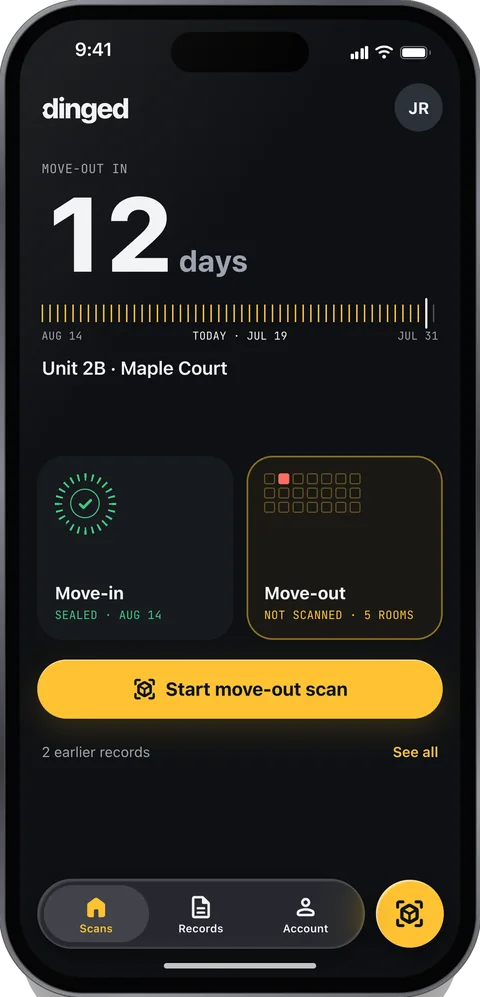
Between scans, one screen counts down to the return and shows the next step. When it’s time, the second scan is guided back to the first one’s views.
- Homes
- The move-out scan reloads each room’s map and walks you back to the move-in viewpoints.
- Cars
- The same stations. A ghost of the pickup frame shows where to stand, and the shot snaps when you’re close. Anything skipped is marked “not re-captured.”
Planned: reminders 7 days and 1 day before move-out (“Clean, then scan.”) and at the return lot (“Scan before you drop the keys.”), a lock-screen Live Activity, and mid-lease problem reports, like a leak or a broken appliance, as their own sealed scan.
The phone compares the two scans
On your iPhone, not a server. Six stages turn two scans into a short list of candidate changes.
| Stage | What happens | Parameter |
|---|---|---|
| Line up | Homes reload the move-in map of the room. Cars re-find each station by matching it with the closest pickup frame. | map relocalizeframe match |
| Guided re-shoot | A ghost of the old view, an error readout in centimetres and degrees, and an automatic snap when you’re close. | ghost 40%snap ≤ 5 cm, ≤ 3° |
| Register | The new view is warped onto the old one. Pixels that are occluded, out of frame or low in depth confidence are masked out. | validity mask |
| Even out the light | Local normalization and a shadow test: if brightness changed but color didn’t, it’s probably light, not damage. | shadow test |
| Propose and filter | Image differences plus a learned change model. A change must show up in 2 views. On cars, anything that drifts more than 1.5 cm across the 3 parallax frames is a reflection, and is dropped. | ≥ 2 views3 parallax framesdrift > 1.5 cm: dropped |
| Measure and label | Size from depth with its uncertainty, a location like “north wall, 0.4 m above floor,” and a suggested type you can change. | mm and inchesmin ~3 × 3 mm |
Known limits: LiDAR resolves about 1 cm, so small defects are found in the images and depth is used to measure them. The smallest change flagged is about 3 × 3 mm (0.12 × 0.12 in); anything smaller may be missed. Accuracy on real scans isn’t published yet. It will be, per algorithm version, on Accuracy.
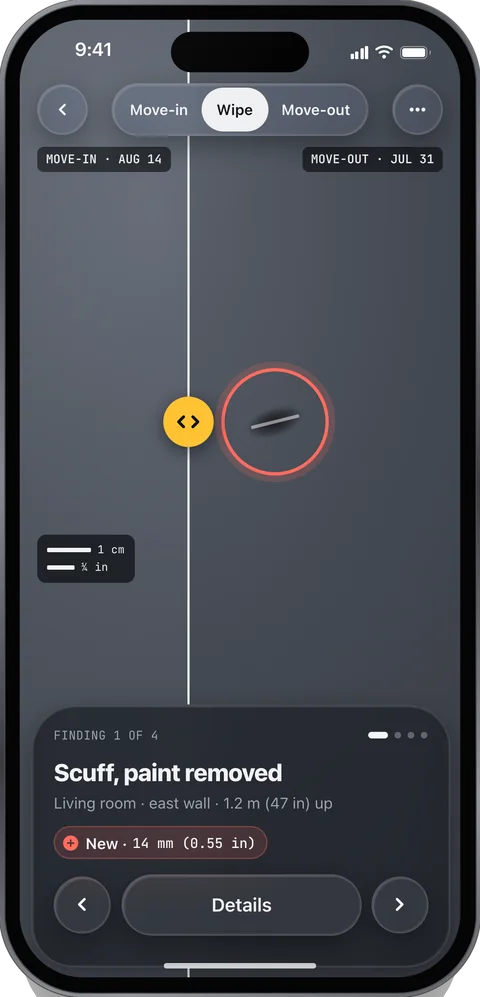
You decide what each change is
Each candidate is a card: where it is, a suggested type, before and after at the same scale, and its size with the uncertainty, like 14 mm (0.55 in) ± 2. Nothing is charged or claimed automatically. Undo is one tap.
- NewSwipe →
Wasn’t there at the first scan.
- Already thereSwipe ↑
Recorded at move-in or pickup.
- Normal wearSwipe ↓
Ordinary use. Recorded, not damage.
- Not damageSwipe ←
A reflection or a shadow. Dropped.
Check a damage bill against local prices
Enter the amount, pick the repair and link it to the finding. Dinged shows the typical local repair range and says whether the charge is below, within or above it.
An estimate from public wage and price data, with its sources listed. Not a quote, and not legal advice.
Above range $400 is more than 10% over $125, the top of the typical range.
A record anyone can check
A PDF and a live verify link, shared by email, AirDrop or print. US Letter, readable in black and white, written in fixed sentences.
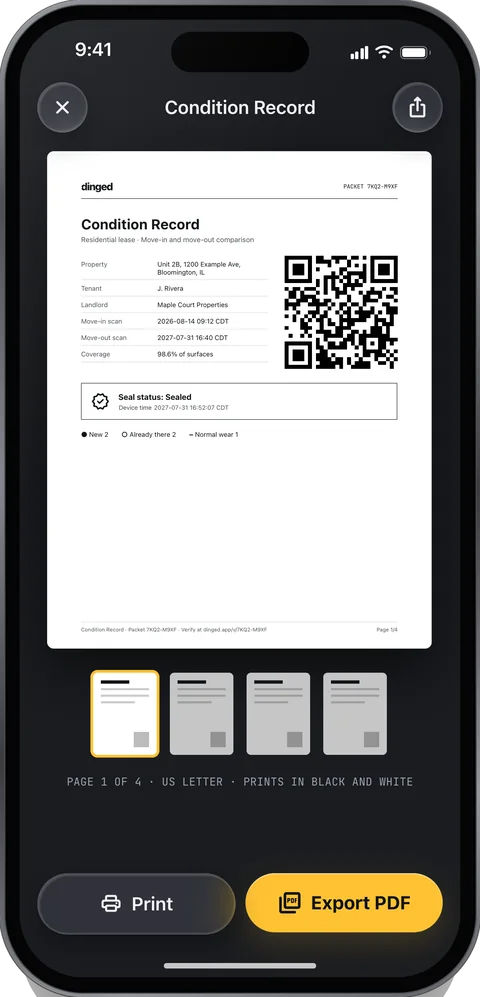
- Cover
- Property or vehicle, the parties as entered, inspection dates, a large verify QR, seal and co-sign status.
- Summary
- Counts of new, already there, normal wear and not damage. Each charge beside its evidence and its Fair Charge verdict.
- Findings
- Half a page each: aligned crops at the same scale with a scale bar, size and uncertainty, location and frame hashes.
- Already there
- Everything recorded at move-in or pickup, with its date. Often the page that settles a dispute.
- Deductions response
- Each line of the bill: linked findings, the evidence in fixed sentences, the Fair Charge range and its sources.
- Method and accuracy
- How the scans were captured and lined up, coverage, the published accuracy for this algorithm version, and the limits.
- How to verify
- The verify link, the key fingerprint, the Merkle root and the receipt.
- Appendix
- The full file hash list, skipped viewpoints, and any unsealed attachments, labeled as such.
This is the designed layout. The sample record shows what today’s build produces.
How the seal works, and what the verify page catches: Security
Built from sample data and signed with a test key.